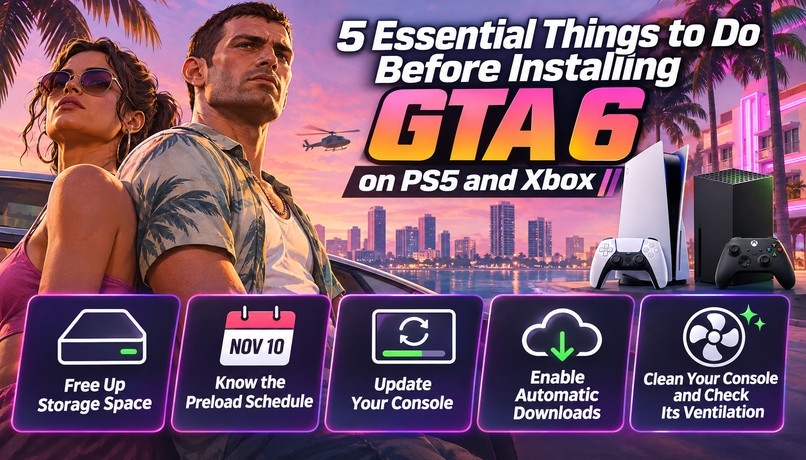
The highly anticipated release of Grand Theft Auto 6 is almost here, and players are getting ready to explore Rockstar Games’ next-generation version of Vice City. With the game scheduled to launch on November 19, 2026, PlayStation 5 and Xbox Series X|S owners should start preparing their consoles before the release date. Taking a few simple steps now can prevent unnecessary download delays, storage problems, and hardware issues when the game finally becomes available.
GTA 6 is expected to deliver a massive open world, detailed environments, improved character interactions, and an extensive range of activities. However, enjoying everything the game offers requires more than simply purchasing it and pressing the install button. Here are five important preparations every player should complete before installing GTA 6.
1. Free Up Enough Storage Space for GTA 6
One of the biggest preparations is making sure your console has sufficient storage space. GTA 6 is expected to require approximately 212 GB for its preload, although the final installation requirements may vary between platforms.
For players with limited internal storage, this could become a significant challenge. Modern games frequently occupy hundreds of gigabytes, and many console owners already have several large titles installed. Removing games you no longer play is one of the easiest ways to make room.
On PS5, open the storage management settings to review installed games, applications, and media files. You can remove older titles or move compatible games to external USB storage to free up internal space. Remember that PS5 games stored on USB extended storage generally need to be transferred back to the console before they can run. An additional compatible M.2 SSD is a more practical long-term solution for expanding playable storage.
Xbox Series X|S users can access the Free up space feature to identify unnecessary games, duplicate files, and unused add-ons. A compatible Storage Expansion Card can also provide additional space for games that require high-speed storage.
Preparing storage in advance means you won’t have to interrupt your GTA 6 installation to delete files.
2. Know the GTA 6 Preload Schedule
Preloading allows players to download a game before its official launch, making it possible to start playing as soon as the release window opens.
However, PS5 and Xbox players should pay attention to their different preload schedules.
PlayStation 5 owners can begin downloading GTA 6 at midnight local time on November 10, 2026. Xbox Series X|S players receive access according to a global midnight GMT schedule. For players in the United States, this means the Xbox preload becomes available at 7 p.m. ET or 4 p.m. PT on November 9.
Understanding these differences helps players avoid confusion when the download becomes available.
Another important detail concerns physical purchases. GTA 6 is not expected to include a traditional playable disc edition. Instead, physical retail packaging provides a digital game code. Players choosing this option should consider the expected retail availability and potential delays before planning their installation.
If you want to start playing immediately on launch day, purchasing and preparing the digital version ahead of time is generally the more convenient approach.
3. Update Your Console Before Downloading
A large game download is already time-consuming, so the last thing players need is an unexpected system update delaying the installation.
Before the preload begins, turn on your PS5 or Xbox and check whether any firmware or system software updates are available. Installing these updates beforehand helps ensure your console can access online services and download the game without unnecessary interruptions.
Xbox users should pay particular attention to pending mandatory updates. An outdated system can prevent access to Xbox network services until the required update has been installed.
PS5 owners can also take advantage of Rest Mode. When the appropriate settings are enabled, the console can download and install system updates automatically while resting.
Internet speed is another important consideration. Downloading approximately 212 GB can take several hours, particularly on slower connections. For the best experience, use a stable internet connection, avoid unnecessary downloads on other devices, and begin preloading as early as possible.
Players with limited bandwidth should plan their download schedule carefully rather than waiting until the final hours before launch.
4. Enable Automatic Downloads
Not everyone can stay awake until the preload becomes available. Fortunately, both PlayStation and Xbox offer automatic download features that make preparing for GTA 6 considerably easier.
On PS5, enable automatic downloads and make sure the console can remain connected to the internet while in Rest Mode. You should also check the Stay Connected to the Internet option under the console’s power-saving settings.
Without this setting, your PS5 might not download GTA 6 while resting, even if automatic downloads are enabled.
Xbox owners should check their automatic update settings and power configuration. The console needs to remain powered on or use Sleep mode to download the preload automatically. If it is configured to use Shutdown mode, background downloads will not work while the console is switched off.
These small adjustments can save considerable time. Instead of manually starting the download, you can allow your console to handle the installation while you focus on other activities.
5. Clean Your Console and Check Its Ventilation
GTA 6 is expected to offer an expansive world with detailed environments and demanding visual effects. Players may spend several consecutive hours exploring Vice City, completing missions, and experimenting with different activities.
Before launch, take some time to clean your console and inspect its ventilation.
Dust accumulation can restrict airflow and contribute to overheating. When a console cannot properly release heat, its cooling system may struggle during extended gaming sessions. In some situations, excessive temperatures can cause performance problems or unexpected shutdowns.
For PS5 owners, carefully remove accumulated dust using an appropriate vacuum or cleaning tool. Keep the console away from walls and other obstructions, leaving approximately four inches of clearance around its ventilation areas. Avoid placing it on thick carpets or covering it with fabric.
Xbox Series X|S owners should also maintain sufficient ventilation. Microsoft recommends leaving approximately four to six inches of space around the console, with additional clearance above it. Avoid placing the system inside a tightly enclosed cabinet.
Regular cleaning and proper positioning help maintain airflow and reduce the risk of heat-related problems during long GTA 6 sessions.
Final Thoughts
Preparing your console before GTA 6 launches can make the difference between enjoying the game immediately and spending launch day troubleshooting storage, updates, and download settings. Free up enough space, check the preload schedule, update your system, enable automatic downloads, and make sure your console has proper ventilation. Once everything is ready, you can focus on exploring Vice City and experiencing everything Rockstar has created. As you prepare for your next criminal adventure, you can also explore options such as GTA 6 Modded Accounts and buy GTA 6 Money to learn more about account-related services and in-game currency opportunities as the game evolves.